
Translate your options
On a shop in more than one language, AddOnBoss shows your option words in the shopper’s language: “Colour: Black” reads “Farbe: Schwarz” on your German pages.
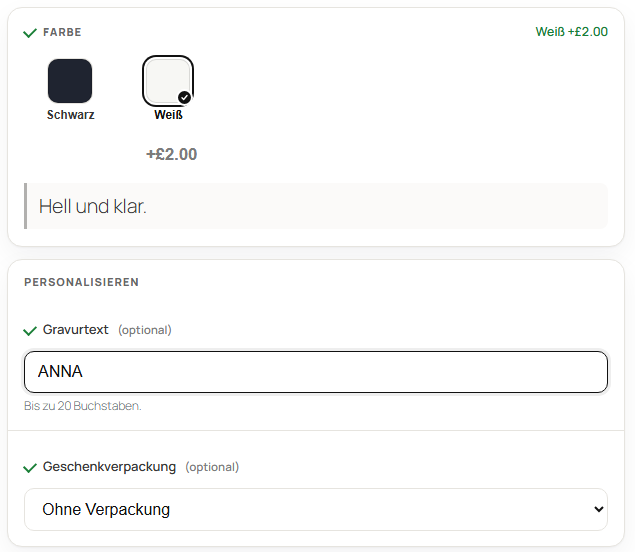
Translate the words
Section titled “Translate the words”- Build your option sets in your shop's main language, as usual.
- Polylang: open Languages › Translations and pick AddOnBoss from the menu. WPML: open WPML › String Translation.
- Type each word in each language and save.
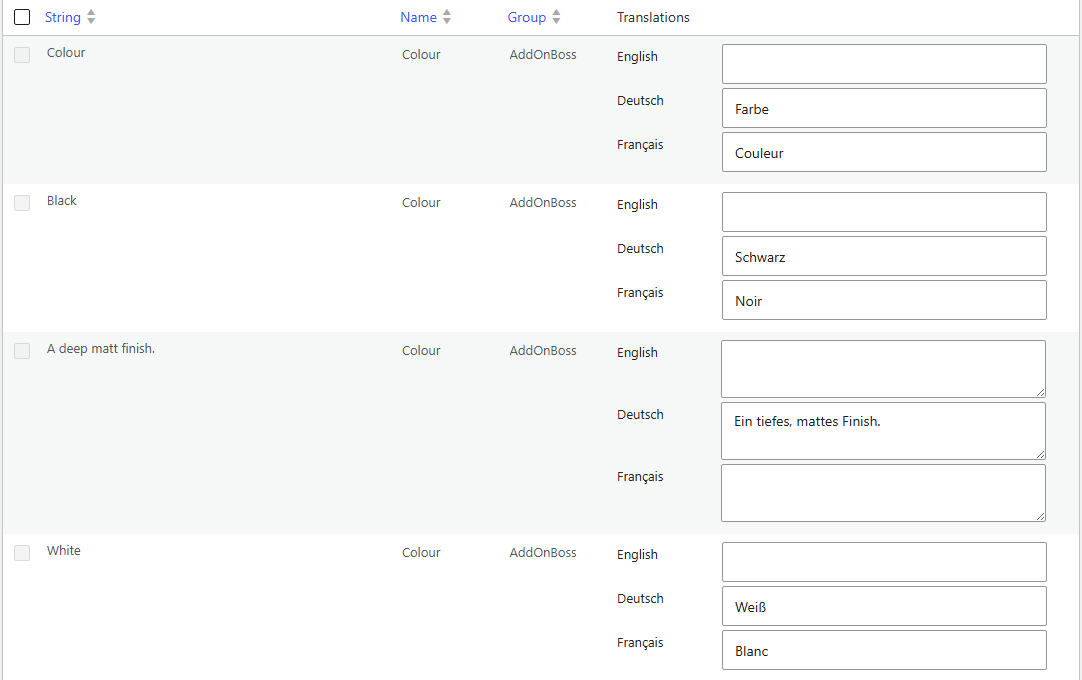
That’s it. Translate a word once and it changes everywhere it’s used.
Good to know
Section titled “Good to know”- Anything you leave blank shows in your main language.
- Your option sets stay in your main language in the editor.
- The cart and the order keep the language the shopper added in.
- Links that choose keep working in every language:
?colour=whitestill picks Weiß.
Was this page helpful?Thanks for the feedback.
We use cookies to see how people use BossMage and which ads bring them here. They are only set if you accept. Privacy
Cookie choices
NecessaryStores your cookie choice on this site.
Always onAnalyticsLets Google Analytics show us how people use the site. Kept for up to 13 months.
AdvertisingLets Google Ads and OpenAI (ads in ChatGPT) tell us which ad brought you here. Kept for up to a year.