
Conditional options
Free from 1.12.0. Rules that show or hide a question work in every build, with no limit on how many you write. Rules that compare a number, is more than, is less than and is exactly, are part of AddOnBoss Pro.
A conditional rule shows a question only when an earlier answer calls for it. Thread colour only matters once someone picks embroidery. The page stays short and clear.
Add a rule
Section titled “Add a rule”- Edit the product and open Product options.
- Open the set, field or upload that should wait, such as Your artwork file.
- Press Edit rule.
- In the first box, keep Available only when.
- Pick the earlier question, such as Artwork.
- Pick how to test it, such as is, then the answer, such as Upload my artwork.
- Press Done, then Update.
The rule reads back as a sentence: “Available only when Artwork is Upload my artwork.”
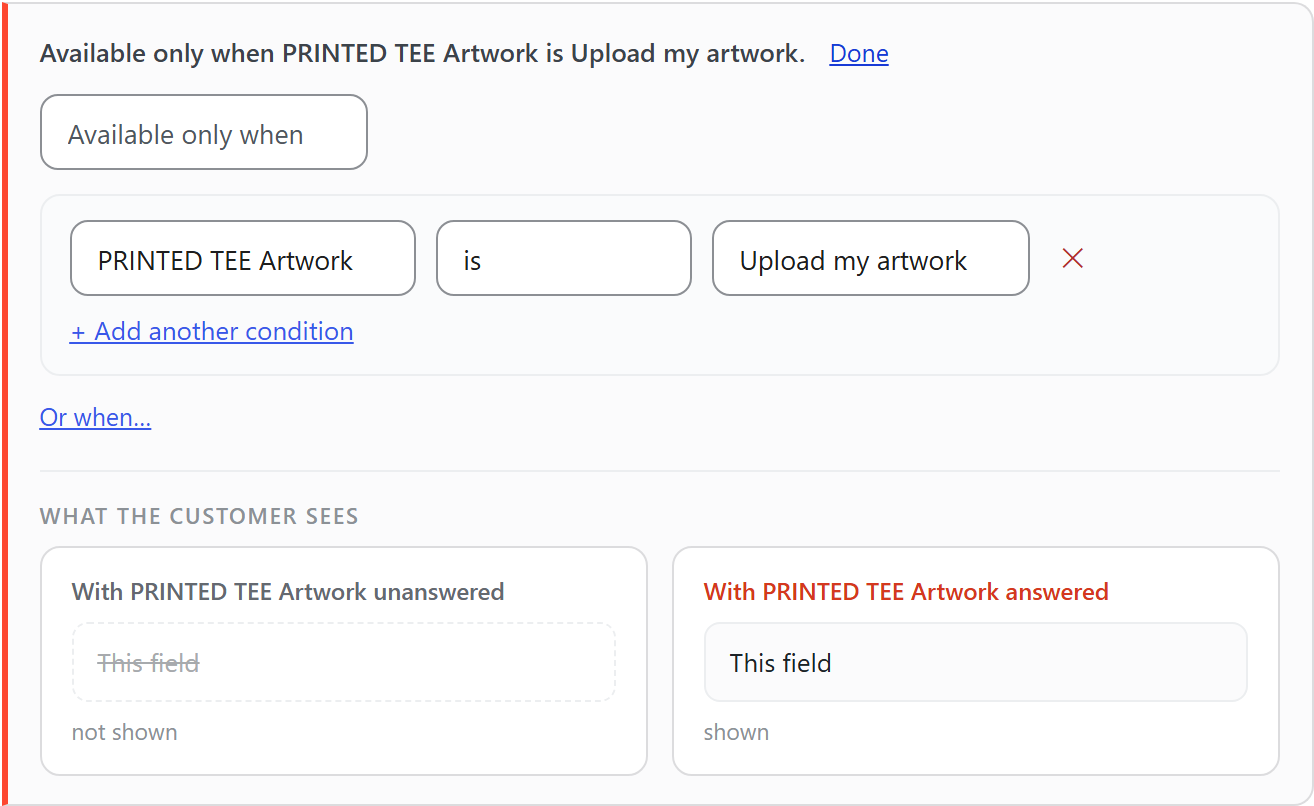
What the customer sees shows the field both ways, before and after the answer.
A rule can point at an option set or at a field. Pointing at a tick box lets the box govern something, such as “Hidden when Use my own artwork is ticked”.
Show it or hide it
Section titled “Show it or hide it”The first box sets the direction:
- Available only when. The question stays off the page until the rule is met.
- Hidden when. The question is there from the start and goes when the rule is met.
Choose always (no rule) in the question box to remove a rule.
What a rule can test
Section titled “What a rule can test”An option set can be tested with:
- is and is not, for one answer.
- is any of, for a short list. “Occasion is any of Birthday, Anniversary” is one condition, not three rules.
- is answered, for any answer at all.
Where customers pick several choices, the test reads includes or does not include.
A field has its own words. A tick box is ticked, an upload has a file, and a text box is filled in.
A number field can also be tested with is more than, is less than and is exactly. “Quantity is more than 50” can reveal a bulk artwork note that someone ordering two never sees.
More than one condition
Section titled “More than one condition”Press + Add another condition to add a condition that must also be true. Press Or when… to add a second group, where either group is enough.
So one rule can say “Finish is Embroidered and Quantity is more than 25, or when Finish is any of Printed, Vinyl”.
A rule only looks upwards
Section titled “A rule only looks upwards”A rule can only read a question asked above it. If the question you want is below, drag it higher. The editor tells you which one to move.
The rule pauses. It keeps what it said, the question shows, and the editor says why. Point it at a new question, or clear the rule. A rule never quietly starts counting as met.
What customers see
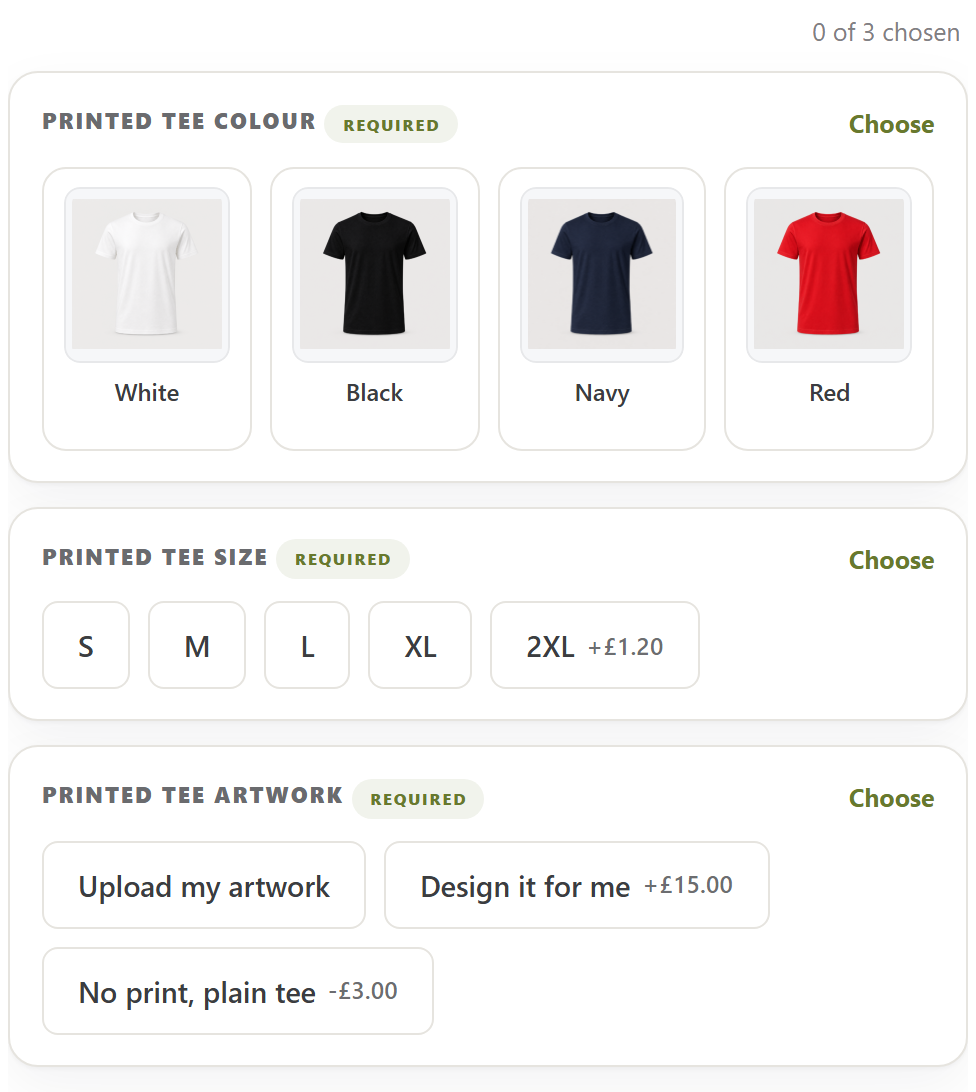
Section titled “What customers see”The dependent question isn’t on the page until it applies. Here a printed T-shirt asks three things, and the count reads 0 of 3 chosen.
When the customer picks Upload my artwork, the upload appears underneath. The count becomes 1 of 4 chosen, and the answered question no longer says Required. Pick another answer and the upload goes again.
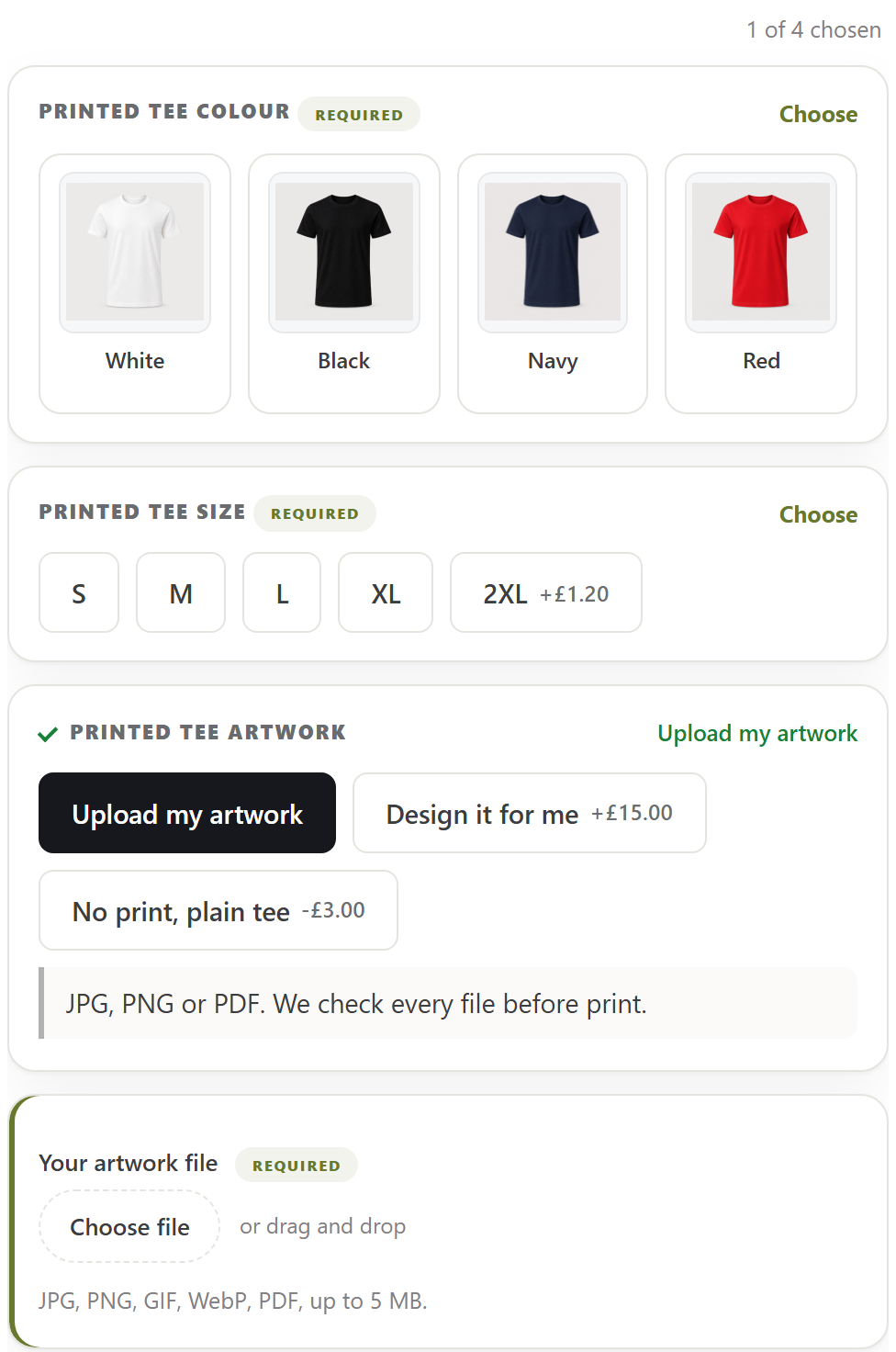
The count only counts required questions. Customers never see your rule. They see the question when it applies, and nothing when it doesn’t.
A hidden question is never charged
Section titled “A hidden question is never charged”While a question is hidden, nothing in it is charged and it’s never required. Anything already picked or typed in it clears until it shows again.
This holds when the order is placed too, not just on the page. A customer can’t be charged for, or blocked by, a question that doesn’t apply.
What a rule works on
Section titled “What a rule works on”The same rule works on an option set, a field and a file upload. An upload can wait for a printed finish. A thread colour can wait for embroidery.
On the quantity grid
Section titled “On the quantity grid”The quantity grid orders every colour and size on one line. That changes what a rule can read.
- A rule that reads a field works as normal. The field is asked once for the whole grid.
- A rule that reads an option set stands down. There’s no single pick to read, so the question is always offered.
A worked example
Section titled “A worked example”A printed board offers a Finish set with Plain and Printed. An Upload your artwork field and a Print area set both have the rule “Available only when Finish is Printed”.
A customer buying a plain board never sees them, and isn’t charged for them. A customer who picks Printed sees both and fills them in. One product serves both.
We use cookies to see how people use BossMage and which ads bring them here. They are only set if you accept. Privacy
Cookie choices