
PenCarrie stock sync for WooCommerce
Their live figures on your products, refreshed as often as PenCarrie allow, and finished WooCommerce products built straight from their range. No spreadsheet mornings, no importer to babysit.
14 days free, no card needed · Run end to end against a live PenCarrie trade account
A token you generate yourself.
Sign in to PenCarrie, go to My Account, then Account Settings, then API Access Tokens, create one and paste it into SupplierBoss. That is the whole setup. Unlike their ordering system, stock access does not need your server's address approved first, which matters because most shops on shared hosting cannot promise a fixed address.
Live stock, every 15 minutes
Their whole range, at the fastest rate PenCarrie allow. SupplierBoss respects their limit so your token never trips it, and a figure like 500+ is read as at least 500 rather than refused as junk.
Products built from the range
Browse their catalogue inside WordPress with names, brands, swatches, sizes, weights and photographs. Pick the colours and sizes you sell and get finished products, each colour with its own photographs.
No token? Still works
If you cannot get a token, or would rather not put one in your website, send their stock file and product export instead. Each half is chosen separately, so a token for the numbers and a saved file for the range is a perfectly ordinary setup.
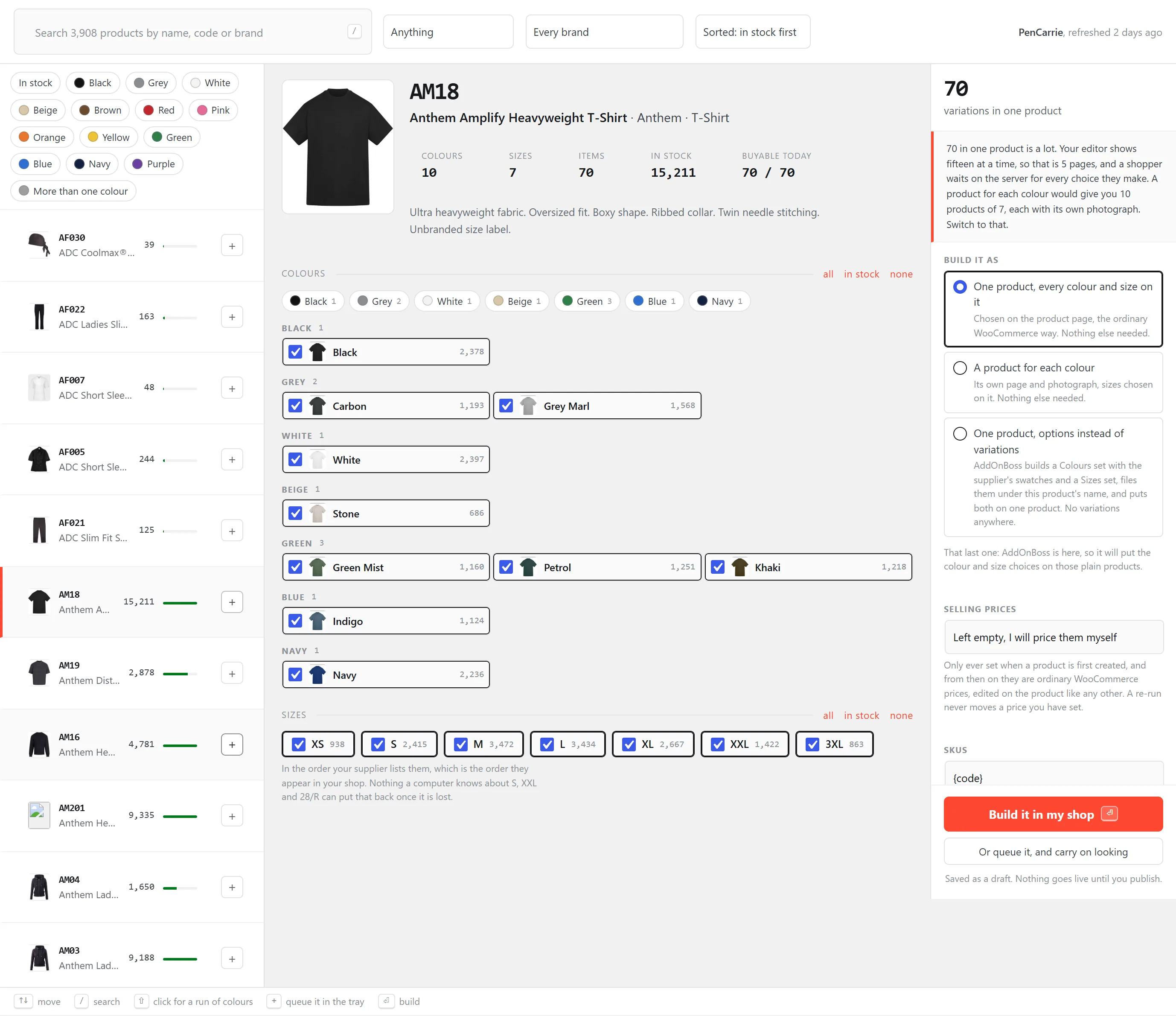
The PenCarrie range, inside WordPress.
This is a real store reading a real PenCarrie account: 3,908 styles, live counts per colour and size, and one press to build the product.
A day's orders, as one delivery.
PenCarrie charge carriage per delivery, so six customers sent separately is six carriage charges on orders that would have cleared the minimum together. SupplierBoss groups what is waiting by the day it arrived, totals each day against your own free carriage figure, and builds a single order with every customer inside it. Each line reference prints beside that customer's products on the despatch note, so one box still breaks back down per customer.
You place it, never us
What SupplierBoss builds is an order left unconfirmed on your account. You sign in, look at it and place it yourself. The plugin has no way to complete an order at PenCarrie's end, and that is structural rather than a setting.
What it costs you, before you send
Trade cost per day against your minimum, priced at the quantity on the order and the rung that quantity reaches. Where a cost was recorded at the sale it wins; where it came from today's catalogue, the screen says so.
Nothing goes short quietly
Every item on the orders you picked is counted before anything is sent, and a line they cannot supply holds its own order back rather than half sending it. An order that stays behind says what could not go and why.
Ordering uses PenCarrie's own ordering system, which is separate from stock access: they approve your server's address against your account code first. How sending a day works.
Try it on your own PenCarrie account.
Fourteen days with every feature and no card. If anything about your account behaves differently, tell us and we will sit with you while it connects: [email protected].
Also connects: Ralawise · BTC Activewear · Prestige Leisure · any supplier with a file