
Add product options without variations in WooCommerce
Give a product its colours, sizes, finishes and add-ons without exploding it into hundreds of variations. The page stays fast, the admin stays simple, and every choice is priced and taxed right.
WooCommerce variations are great until you have a few attributes: five colours by six sizes is thirty variations, and a third attribute pushes you into the hundreds. That is slow to load and a chore to manage. The fix is to add the choices as options instead, which put the picks on the product page without generating any variations. Here is how with AddOnBoss, and the core of it is free.
Set it up in five steps
- Install AddOnBoss. Get AddOnBoss free from WordPress.org. Adding options and priced add-ons to a simple product is in the free plugin, no variations involved.
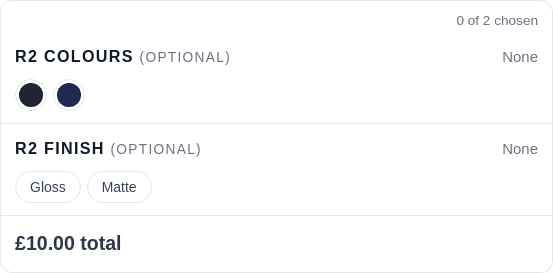
- Build an option set once. Create a set such as Colours or Finish, with its choices. You build it once and can reuse it on as many products as you like, and edit it in one place.
- Attach it to your product. On a normal simple product, attach the set. The choices appear on the product page, and crucially, WooCommerce generates zero variations, so the product stays one light item.
- Add fees or fields if you need them. Give a choice an extra charge (a premium finish at +£4), or add a text field for a name or a note, or a checkbox for gift wrap. Each fee is added correctly, with the right tax.
- Publish. Customers pick their options with a live running total and add to the basket. Every choice is recorded on the order, priced and taxed right, with no variation sprawl behind the scenes.
Common questions
Why not just use WooCommerce variations?
Variations multiply fast. A product with 5 colours and 6 sizes is already 30 variations; add a third attribute and you are into the hundreds, which is slow to load and painful to manage. Options add the same choices to the product without generating a single variation, so the page stays fast and the admin stays sane.
Do the option prices and tax come out right?
Yes. Every priced option or add-on joins the basket through WooCommerce's own pricing and tax, so it charges the correct VAT and the total is the same on the product page, in the basket and on the order.
Can I reuse an option set across products?
Yes. Build a set like Colours once, attach it to as many products as you want, and edit it in one place. That is the main time-saver over per-product variation setups.
Is this free?
Yes. Option sets, swatches, basic fields and simple per-option pricing are in the free AddOnBoss plugin. Conditional options, file uploads, per-character pricing and a few advanced tools are Pro.
Want the detail? See the product options documentation, or see how AddOnBoss compares to Advanced Product Fields and WooCommerce Product Add-Ons.